Monday, October 15, 2018

Thursday, October 4, 2018
Camera Movement
Moving the camera helps create different emotions in a scene and emphasize those emotions that we want to see. It can add or detract from the emotion the director wants to communicate. It needs to move in relation to someone or something to create the emotion.
Crane Shot Down: moves you into a story or the scene creating a feeling of falling into the character's world and dropping down into the scene. It gives us a feeling of how small the character is and how big of an obstacle they have to overcome. This makes the character look strong and creates a lot of feeling of authority.
Handheld Camera Movement: can create a feeling of uneasiness or danger. It needs to be a bit shaky and unsettling, but it makes the scene feel very strange and dangerous.
Quick Pan: can change the emotional direction of the scene almost at once. It reveals something dangerous or something that the character is going to have to overcome. It sends the audience in a totally different emotion direction.
Quick Push In: Can create a sudden feeling of surprise or shock.
Slow Camera Dolly In: Can create tension and helps us become a little bit more intimate with the character. Intimate in a way that makes us feel uncomfortable or intimate in a way to feel what the character is feeling.
Slow Dolly Out: Leaves character feeling lost or abandoned. It creates a feeling of empathy. You feel lost with them.
Dolly across: Reveals action or change of the emotional direction of a scene.
Glide Cam Shot: creates more of a ballet or dance feeling. It feels epic or dreamlike.
Handheld Camera: It gives the scene more of a edgy and stressful feeling.
Glidecam 360 Reveal: It creates a king of calm before the storm feeling like something is coming.
Zolly: It is a combination of a zoom with a dolly. The background gets smaller but the person remains the same size. It creates an overwhelming emotion feeling that something is happening.
Moving the camera helps create different emotions in a scene and emphasize those emotions that we want to see. It can add or detract from the emotion the director wants to communicate. It needs to move in relation to someone or something to create the emotion.
Crane Shot Down: moves you into a story or the scene creating a feeling of falling into the character's world and dropping down into the scene. It gives us a feeling of how small the character is and how big of an obstacle they have to overcome. This makes the character look strong and creates a lot of feeling of authority.
Handheld Camera Movement: can create a feeling of uneasiness or danger. It needs to be a bit shaky and unsettling, but it makes the scene feel very strange and dangerous.
Quick Pan: can change the emotional direction of the scene almost at once. It reveals something dangerous or something that the character is going to have to overcome. It sends the audience in a totally different emotion direction.
Quick Push In: Can create a sudden feeling of surprise or shock.
Slow Camera Dolly In: Can create tension and helps us become a little bit more intimate with the character. Intimate in a way that makes us feel uncomfortable or intimate in a way to feel what the character is feeling.
Slow Dolly Out: Leaves character feeling lost or abandoned. It creates a feeling of empathy. You feel lost with them.
Dolly across: Reveals action or change of the emotional direction of a scene.
Glide Cam Shot: creates more of a ballet or dance feeling. It feels epic or dreamlike.
Handheld Camera: It gives the scene more of a edgy and stressful feeling.
Glidecam 360 Reveal: It creates a king of calm before the storm feeling like something is coming.
Zolly: It is a combination of a zoom with a dolly. The background gets smaller but the person remains the same size. It creates an overwhelming emotion feeling that something is happening.
Camera movements
Crane Down: Moves you into the story or the scene, makes you feel like your being dropped into the scene.
Crane Up: Gives us the image of how small the character is compared to something else like scale.
Crane high to low angle: Makes the character look strong and creates the element of fear and authority.
Hand Held camera movements: Creates feeling of uneasiness or danger.
Quick Pan: Reveals something either dangerous or surprising behind our character.
Quick Push In: Gives the felling of surprise or shock.
Slow Dolly In: Creates the feeling of tension and helps us become more Close to our character.
Slow Dolly Out: Leave the character looking emotionally lost or abandoned.
Dolly Across: Creates action or changes the emotional direction of the scene.
Glide Cam Shot: Creates more of a dance feeling and makes scenes feel "epic"
Glide Cam 360: Gives a calm feeling or that something is about to happen.
Zolly: Creates an overwhelming emotional feeling.
Crane Up: Gives us the image of how small the character is compared to something else like scale.
Crane high to low angle: Makes the character look strong and creates the element of fear and authority.
Hand Held camera movements: Creates feeling of uneasiness or danger.
Quick Pan: Reveals something either dangerous or surprising behind our character.
Quick Push In: Gives the felling of surprise or shock.
Slow Dolly In: Creates the feeling of tension and helps us become more Close to our character.
Slow Dolly Out: Leave the character looking emotionally lost or abandoned.
Dolly Across: Creates action or changes the emotional direction of the scene.
Glide Cam Shot: Creates more of a dance feeling and makes scenes feel "epic"
Glide Cam 360: Gives a calm feeling or that something is about to happen.
Zolly: Creates an overwhelming emotional feeling.
Wednesday, October 3, 2018


camera shots and elements & principles of design

worm's-eye view
informal balance
diagonal lines

reaction
simplicity


Practice shots
Two Shot

formal balance, diagonal lines
Medium Shot

curved lines, horizontal lines, simplicity
;) Extreme Close Up Shot and Over the Shoulder Shot (;

Extreme close up shot. (Formal balance)

Over the shoulder shot. (Informal balance)
2 Pics

Close Up.
Diagonal lines coming from his head.
Informal balance (White side on the right, dark side on the left).

Over the shoulder.
Diagonal lines (sidewalk).
Informal balance (Alex against shadows).


Monday, October 1, 2018
camera angles
 |
reaction shot
|
 |
point of view shot
|
 |
over the shoulder shot
|


The Two Shot and Worms Eye View
Worms Eye View

A big principle of design in this picture is variety, this can easily be found in the tree bark's color and the color around the top of the tree. Another is leading lines, which can be found as you travel along the tree towards the leaves and branches at the top.
The Two Shot

The biggest principle of design found in this picture in formal balance, with one person on each side.


Subscribe to:
Posts (Atom)
Post War Period and Sound
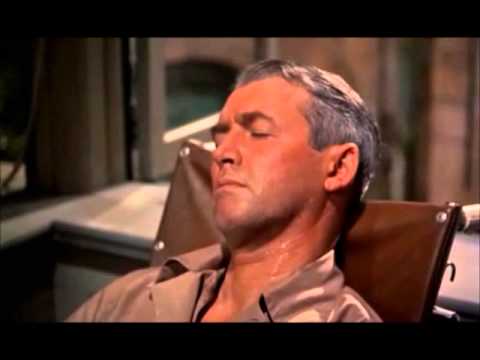
The Post War Period had many films that were based on the sadness of the everyday lives after WWII ended. This film, Rear Window, has to...
-
Crane Down: Moves you into the story or the scene, makes you feel like your being dropped into the scene. Crane Up: Gives us the image of ...
-
Camera Movement Moving the camera helps create different emotions in a scene and emphasize those emotions that we want to see. It can add ...
